Every job keeps its own notebook
A job in Subser holds the schedule, the customer, the price and the photos in one place. Snap before-and-after shots, mark them up, and send the customer a clean gallery when the work is done.
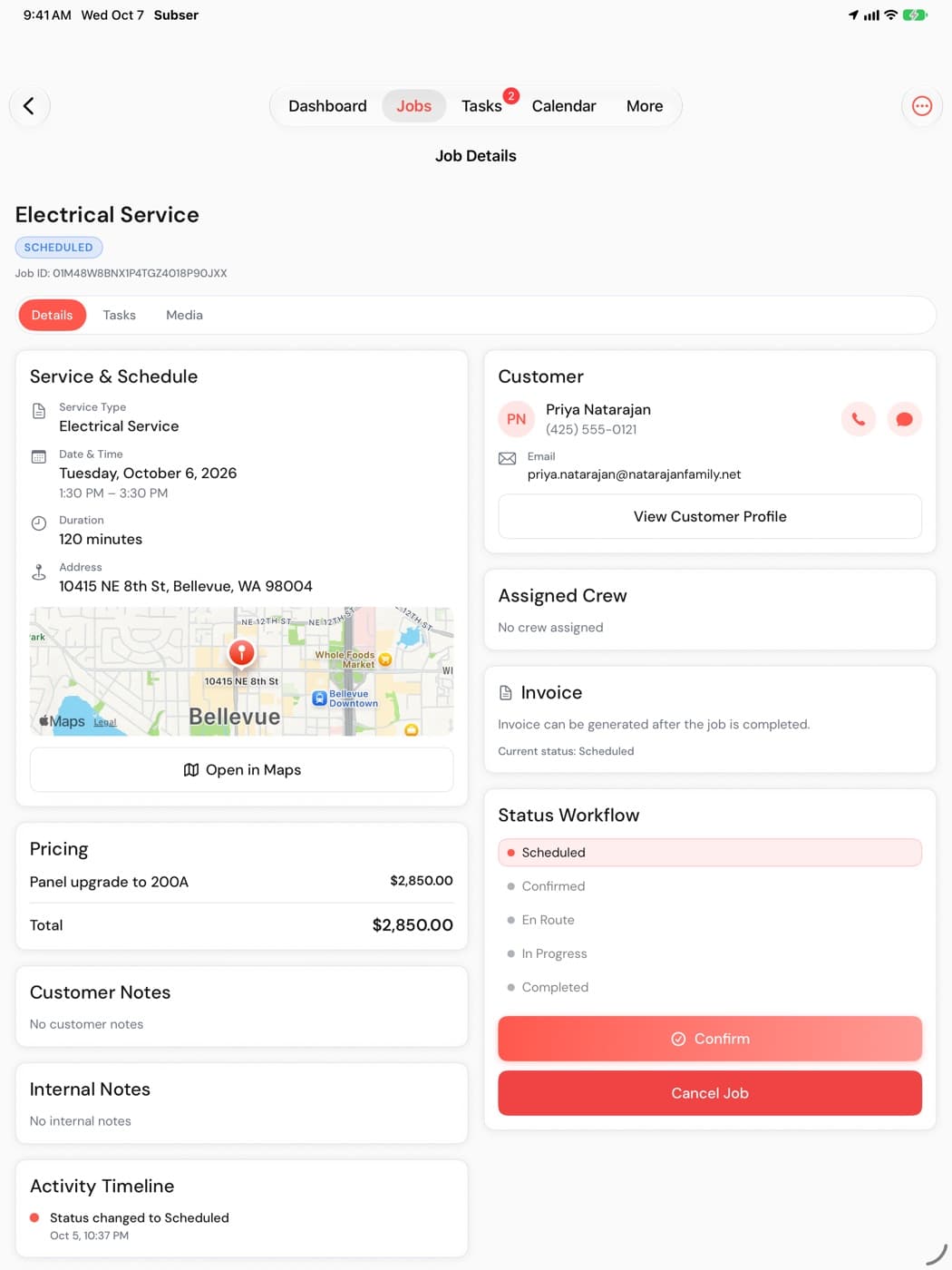
The whole job on one screen
Open a job and everything about it is there. No digging through texts to find the address or the price.
- Customer and crew cards, pricing and line items, tasks, and an activity timeline.
- A status workflow that moves from scheduled to confirmed, en route, in progress, completed and paid.
Before and after, filed by job
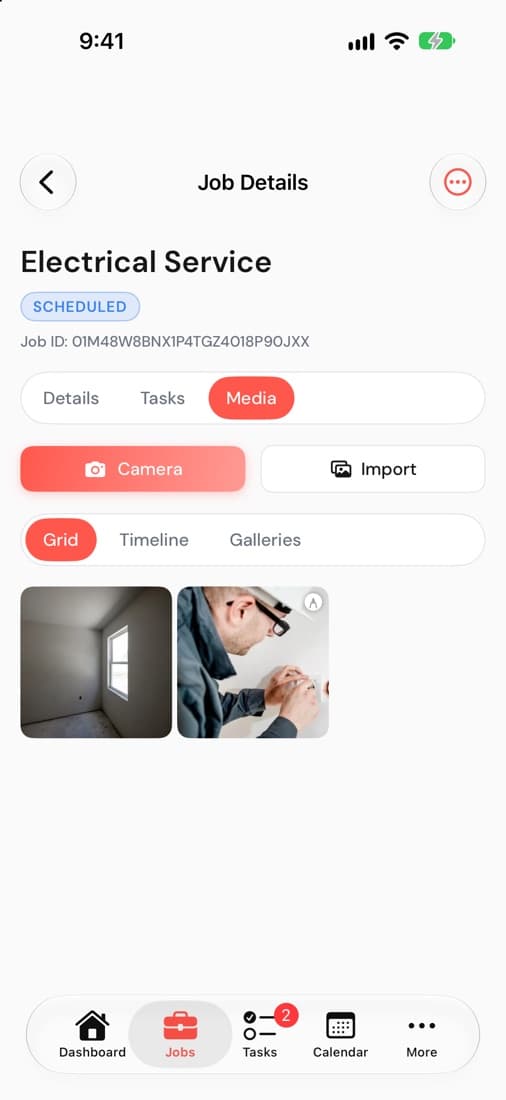
Take photos from the job and they land in its notebook. Photos are grouped on a timeline by job phase, so the before shots stay with the before.
- Photos open fitted to the screen, so you see the whole shot.
- Curate a gallery and send the customer a branded link. They don't need an app to see it.
Mark up what matters
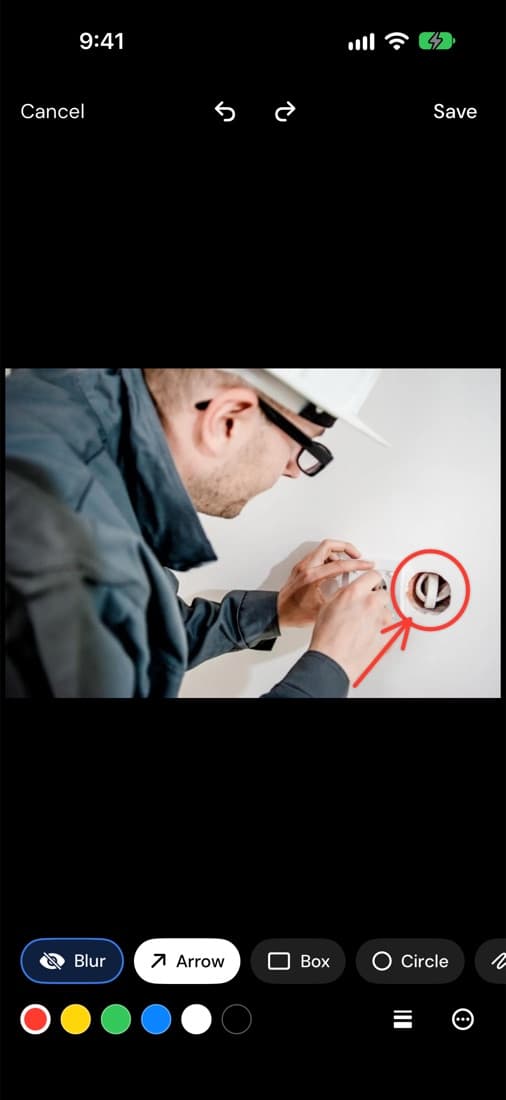
Point at the problem instead of explaining it. Draw on the photo, then move or resize anything you drew until it's right.
- Arrows, shapes and text.
- Blur to hide what the customer shouldn't see.
Measure from the photo
On iPhone Pro and iPad Pro, drag a line across a photo to measure the real distance. Read it in feet and inches, inches, meters or centimeters.
Works well with
Try it on your next job
14-day free trial, no credit card. Up to 75 team members on every plan, with no per-user fees.
Also on iPhone and iPad